1. Use your phone or Ipad
2. Go to the App Store & search for "QuizUp"
3. Download & open the app.
4. Click "Join Now"
5. IMPORTANT - Click "Sign up with email" (at bottom)
9. Use your university email. Make a password.
10. Profile picture (optional) / Display name (your first name) / Gender (male/female) - you don't need this
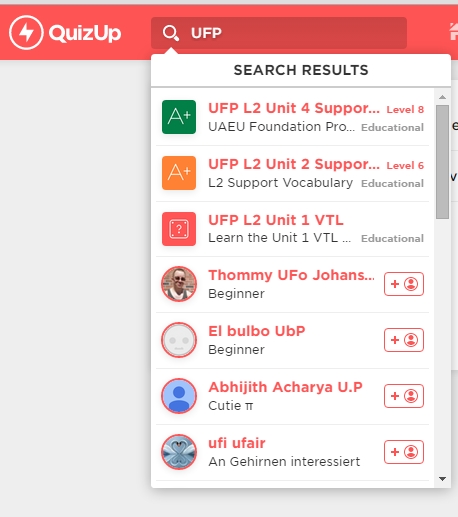
1. Click the search button
2. Search for "UFP"
3. You will see a list of UFP L2 quizzes
4. Choose one
5. Click "Follow" (easy to find again)
6. PLAY!
7. WIN!
Back to Vocabulary Page
Make a free website with Yola